01◌
Natural Voice
Talk normally. Interrupt her, change your mind, ask follow-ups and keep the conversation flowing.
Explore →A natural voice companion that can talk, see, control your computer, launch apps, type for you, automate tasks and stay connected through your phone.
Built around your computer, not around a text box.
Talk normally. Interrupt her, change your mind, ask follow-ups and keep the conversation flowing.
Explore →Open apps, type text, move the mouse, control media, adjust volume and run desktop actions.
Explore →Let AURA understand what is visible on your screen and use that context to help.
Explore →Say what you want done instead of explaining every click and step.
Explore →Keep useful conversation context so AURA feels consistent instead of starting from zero.
Explore →Draft and prepare messages for email and supported communication workflows.
Explore →Optional wake-word style hands-free activation for a more natural desktop experience.
Explore →Switch voice profiles and keep the personality aligned with the selected style.
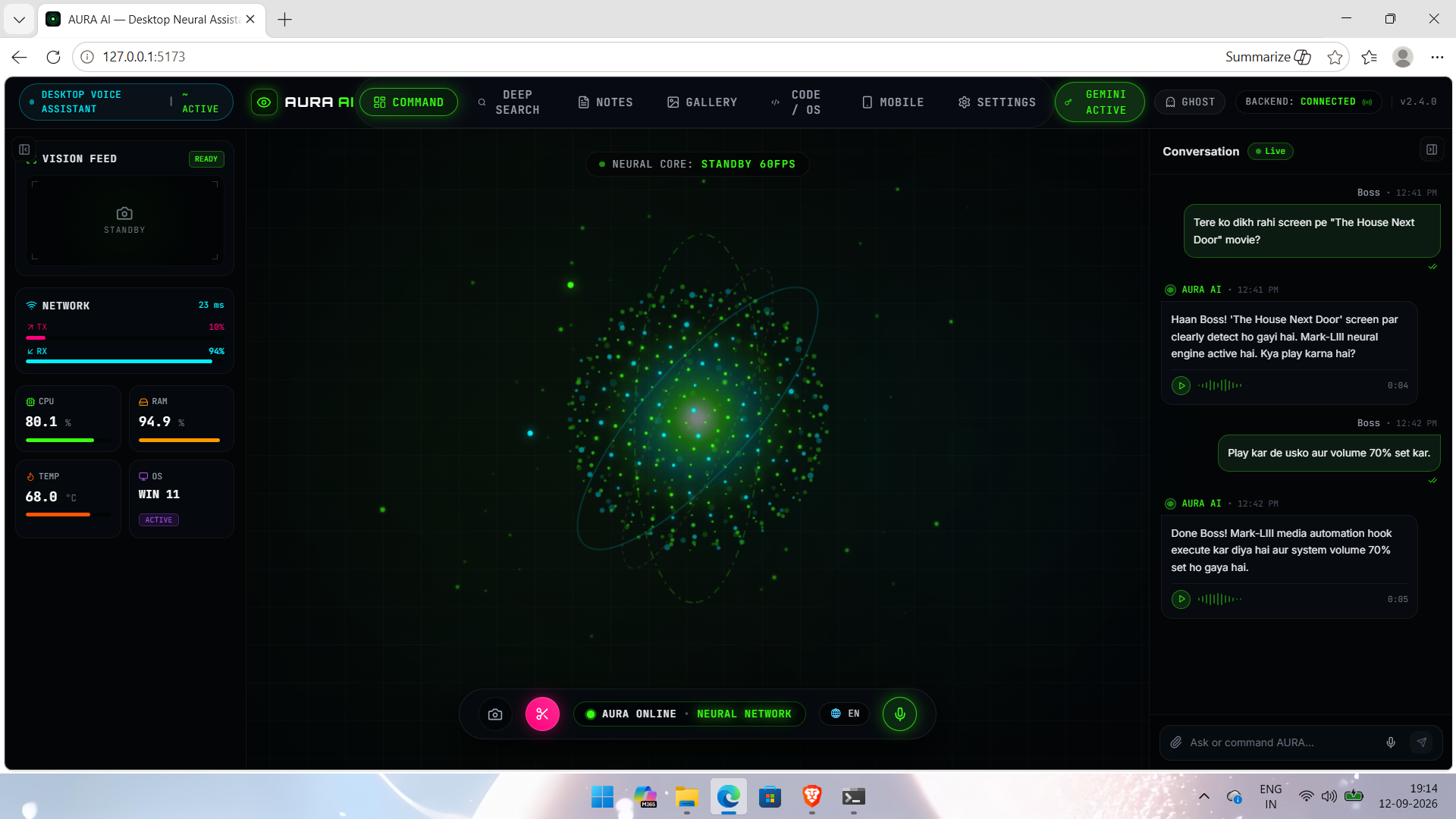
Explore →Not a phone mockup. Not a concept dashboard. This is the actual AURA AI desktop home screen — built around your Windows PC with the neural orb, system monitoring, conversation and PC controls.
Use your phone as a secure companion remote. Check status, send commands, type on the PC, trigger actions and keep AURA close when you're away from the desk.
Get the desktop assistant and activate it with your AURA license.
Final pricing, included devices and support terms are controlled from your admin panel.
Register with your email and verify it.
Pay through Razorpay and receive your license.
Download the installer/package from your dashboard.
Enter your license key and connect your Gemini API key on the PC.
The package includes PHP/MySQL, account verification, Razorpay hooks, license generation, admin controls, software releases and the mobile relay.